
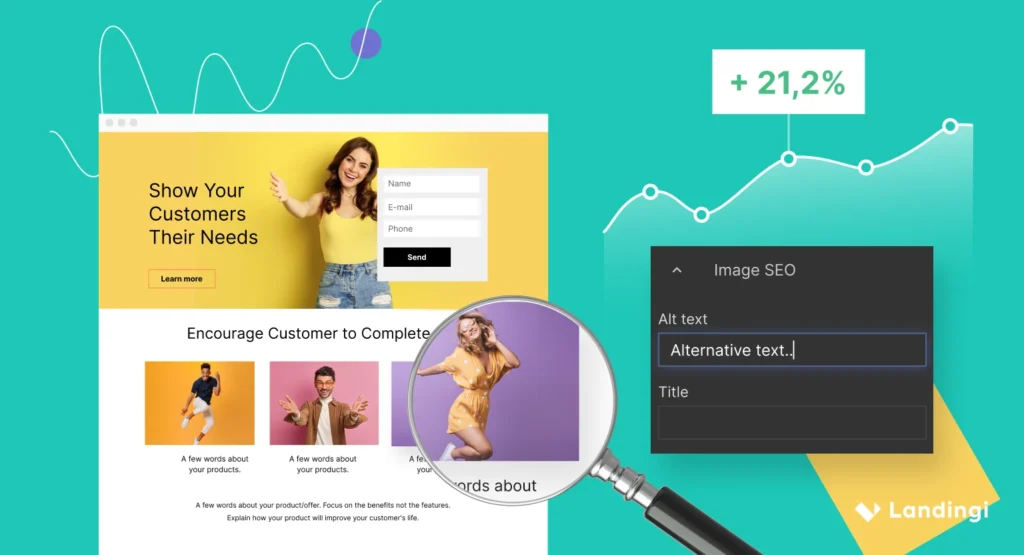
Landing page schema is structured data added to a page so search engines can understand what the page is about faster. On the user side, it supports clearer search previews, stronger trust signals, and a cleaner path from search result to action.
A simple example: a SaaS trial page with a 4-field sign-up form, a 14-day trial, and one clear offer is easier to describe with schema than a page stuffed with vague marketing copy. That extra clarity helps search engines, and it also helps people who are scanning a result in 3 seconds flat.
Why does landing page schema matter for UX?
Good UX starts before someone clicks. If your search snippet, page purpose, and on-page layout all line up, people know what they are getting.
That matters more than most site owners think. I have seen pages with decent copy lose clicks because the search result looked fuzzy. A visitor sees a result, asks, “Is this for pricing, support, or a free demo?” and moves on.
Landing page schema helps reduce that confusion. It gives machines a clearer read on the page, which can support richer search features and better content matching. For a page selling one webinar seat, one local plumbing offer, or one product trial, that clarity is worth real money.
Also Read: Easy Tips to Make Your Website Faster and Easier to Use.
Which schema types fit a landing page?
Not every schema type belongs on a landing page. The best choice depends on the page’s job.
Here is a practical way to think about it:
- Organization: good for brand landing pages and home pages linked from campaigns.
- Product: a fit for product landing pages with pricing, availability, and ratings.
- FAQPage: useful when the page answers common questions before a form fill.
- BreadcrumbList: helpful when the page sits inside a larger site structure.
- LocalBusiness: useful for service-area pages or physical locations.
For example, a dental clinic landing page for “same-day teeth whitening” may use LocalBusiness, FAQPage, and BreadcrumbList. A software trial page might use Product, FAQPage, and Organization. That mix keeps the markup tied to the real page purpose instead of turning the page into a schema dump.
What should you avoid?
Do not mark up a page as Product if it is really just a lead-gen page with no product details. Do not add FAQ schema if the page has no visible FAQs. That kind of mismatch can create confusion, and sometimes it creates no benefit at all.
Also Read: Content Promotion Services to Increase Brand Visibility.
How does landing page schema help UX?
Landing page schema supports UX in three main ways.
First, it helps users understand the page faster. If the page snippet clearly shows a product, service, or question-and-answer format, the click feels safer.
Second, it can strengthen trust. A page that shows organization details, ratings, FAQs, or location information feels more real than a thin one-page pitch. For a local law office landing page, even a visible business name, phone number, and address can make the experience feel less risky.
Third, it can support cleaner search visibility. A page with FAQ markup may surface answers that match a searcher’s question. A product page with pricing or review data may stand out more than a plain text ad-style result.
Here is the thing: schema does not fix bad ux design. A slow page, weak headline, or messy form still loses. But schema can make a strong page easier to understand before the first click and after the page loads.
How to add landing page schema step by step
You do not need a huge technical setup to do this well. A clean landing page setup usually beats a clever one.
1) Pick the schema type that matches the page
Start with the page’s real job. Is it selling a product, collecting leads, answering questions, or promoting a location?
For example, a webinar landing page with one registration form and three FAQs may use Event or FAQPage. A consulting offer page may use Organization and FAQPage. Keep the type tied to the purpose, not the design trend.
2) Write the markup in JSON-LD
Google recommends JSON-LD for structured data, and it is the easiest format to manage on most sites. That means you can place the code in the page head or through a schema plugin without touching the visible design.
A simple product-style landing page might include fields like:
- name
- description
- brand
- offers
- aggregateRating
A local service page might include:
- business name
- address
- phone number
- opening hours
- service area
3) Match the markup to what visitors see
If the page says “Free 14-day trial,” the visible page should say that too. If the FAQ schema lists refund policy, the page should show that question and answer on the page.
A mismatch is one of the fastest ways to weaken trust. A visitor should never feel like the markup and the page are telling different stories.
4) Test it before publishing
Use a schema validator or rich result testing tool before you push the page live. This takes a few minutes and can save hours of cleanup later.
A common real-world mistake is a missing bracket or an invalid field name. On a team I worked with once, one broken line in the JSON-LD prevented FAQ markup from being read on a page that got around 12,000 visits a month. The fix took 10 minutes. The missed visibility took much longer to notice.
5) Review the page after launch
Check whether the page is indexed, whether the markup is valid, and whether the search snippet reflects the page correctly. If the result still looks plain after a few weeks, the issue may be the page content, not the schema itself.
Also Read: Website Maintenance and Performance Improvement Plans.
What mistakes hurt landing page setup?
A lot of landing pages fail for the same boring reasons. The fixes are simple, but people skip them.
Using the wrong schema type
A webinar page should not use Product schema just because it “feels promotional.” A service page should not pretend to be an e-commerce listing.
For example, if you are promoting a $99 homepage audit and there is no checkout cart, Product schema may not be the best fit. FAQPage and Organization may be a better match.
Marking up content that is not visible
If the FAQ is hidden in code but not shown on the page, that is a problem. Schema should support visible content, not invent new content behind the scenes.
Making the page too busy
A landing page with 18 links, 6 CTAs, 3 offers, and 2 pop-ups is hard to trust. Schema will not save that experience. A better page often has one promise, one action, and one short proof section.
For example, a lead-gen page for a home cleaning service might only need:
- one headline
- one short benefit list
- one form
- one FAQ block with 4 questions
That is enough in many cases.
Forgetting mobile users
A schema-friendly page still needs to feel good on a 390-pixel-wide screen. If the form is too tall, the CTA is buried, or the first screen is cluttered, mobile users will bounce.
A real test: open the page on a phone and try to finish the main action in under 30 seconds. If that feels hard, the issue is not the schema. It is the page.
Also Read: Paid Ad Management to Grow Targeted Website Leads Fast.
What does a schema-friendly landing page look like?
A good landing page does not try to do everything. It gives one clear path.
Example 1: SaaS trial page
Imagine a project management tool offering a free 14-day trial. A strong page might include:
- a headline with the core benefit
- 3 feature bullets
- pricing or trial terms
- 4 FAQs
- Product schema and FAQPage schema
This page works because the message is tight. Visitors know what they get, how long the trial lasts, and what happens next.
Example 2: local service page
Now take a roof repair company targeting one city. A useful page could show:
- service area
- phone number
- emergency availability
- 3 customer reviews
- 4 common questions
- LocalBusiness, FAQPage, and BreadcrumbList schema
That setup supports trust. It also helps people who are ready to call right now, which is the whole point of the page.
Also Read: Responsive Website Builds Focused on Speed and SEO.
How do you know if it is working?
You do not need a giant analytics dashboard to spot the first signs.
Look at these signals:
- search impressions for the page
- click-through rate from search results
- bounce rate or exit rate
- form completion rate
- phone call clicks on mobile
For example, if a page gets 5,000 impressions in a month and the click-through rate moves from 2.1% to 3.4% after better schema and tighter copy, that is a real change. It may not be caused by schema alone, but it tells you the page is communicating better.
Search Console is the first place to check. After that, use analytics and heatmaps if you have them. Watch where people stop scrolling. A page with a strong first screen and weak lower sections often needs a content fix, not a technical one.
Also Read: Local SEO Services to Boost Nearby Customer Traffic.
How should teams think about landing page schema in practice?
Treat schema as part of page planning, not a last-minute SEO task. The best results usually come when ux design, copy, and markup are built together.
A simple workflow works well:
- Define the page goal.
- Decide the main schema type.
- Write the visible content first.
- Add JSON-LD that matches the content.
- Test the code.
- Check performance after launch.
For a small business site, this can be done in a single afternoon. For a larger campaign page, give it a proper review before ads go live. A broken landing page setup can waste paid traffic fast, and paid traffic is never cheap enough to waste.
What most guides miss
Most guides talk about schema like it is a trick. It is not. It is a clarity tool.
The real win is not a checkbox in a validator. The real win is a page that feels honest, specific, and easy to act on. If a landing page says “Book a free consult in 2 minutes,” shows the form, answers the common questions, and uses the right schema, that is a better experience for real people.
And that is the point.
Also Read: Technical SEO Fixes for Faster Site Indexing and Crawling.
FAQ
What is landing page schema in simple terms?
Landing page schema is code that helps search engines read a landing page more clearly. It can describe a product, service, FAQ, business, or breadcrumb structure. For a page with a 4-question FAQ and one main offer, schema helps connect the page’s content to what searchers are looking for.
Does schema improve user experience directly?
It can improve the experience indirectly by making the page easier to understand in search results and more consistent on the page itself. A clearer snippet often brings in better-matched visitors. A better-matched visitor usually has a smoother path to the form, call button, or checkout.
Which schema type is best for a landing page?
The best type depends on the page’s purpose. Product schema fits product pages, FAQPage fits pages with visible Q&A, and LocalBusiness fits service pages or location pages. A single page may use 2 or 3 types if they all match the visible content.
Can I add schema to a page with a short form?
Yes, and that is often a good use case. A lead-gen page with a name field, email field, and one CTA can still use Organization or FAQPage schema if the content supports it. The key is to keep the markup honest and tied to what the visitor can see.
How do I test if my schema is correct?
Use a schema validator or testing tool before publishing, then check Search Console after the page is indexed. Look for errors, warnings, and whether the page is eligible for rich results. A page with one missing bracket in the JSON-LD can fail, so testing matters.
Does landing page schema help rankings?
It does not act like a magic ranking switch. It helps search engines understand the page, which can support better matching and richer search features. The real ranking lift still depends on content quality, relevance, links, page speed, and user response.
Conclusion
The best landing page schema is the one that matches the page honestly and supports a clearer, faster user experience. If the page, the markup, and the offer all say the same thing, the whole page works better.
For more useful articles, visit my website: HighSoftware99.