
Why refresh old content instead of starting over?
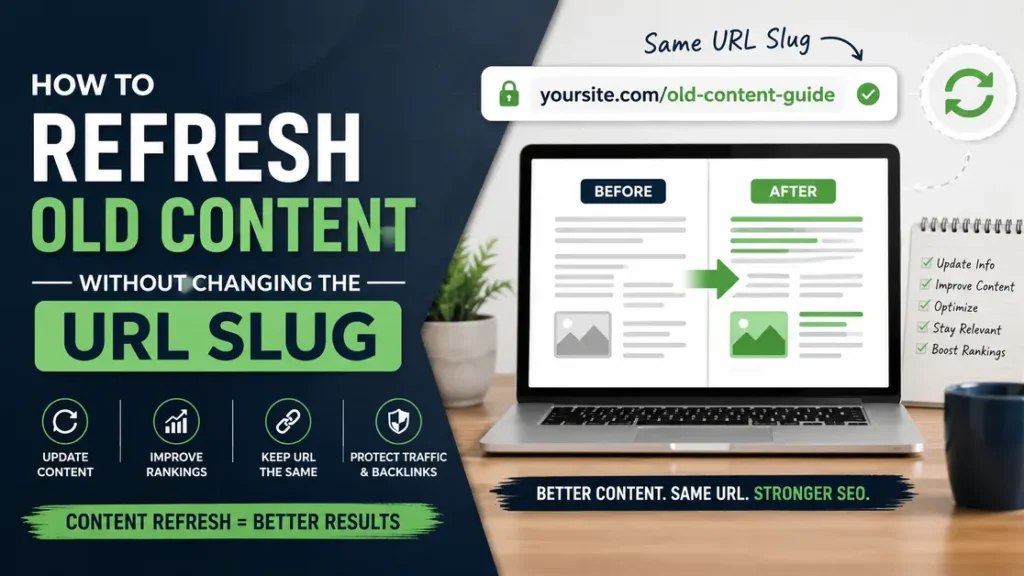
A content refresh is the fastest way to get more value from a page that already has history, links, and some search visibility. In most cases, the best move is to update the page and keep the URL slug the same.
That matters because a stable slug helps protect links, sharing, and indexing history. If a page already gets 500 visits a month, you do not want to throw that away just because the article feels dated.
A lot of site owners make the same mistake: they rewrite a strong page, change the slug, and then wonder why traffic dips. The fix is usually simpler than they expect.
Why does the URL slug matter so much?
The slug is the part of the URL that identifies the page. If you change it without a solid reason, you often create extra work for yourself and your site.
Here is the practical problem. Every old link, social share, email mention, and internal link may still point to the old address. Even with a proper redirect, you can lose some link equity and create crawl noise.
A page with 40 backlinks from other sites is a good example. If the old URL already works and matches the topic, changing it just because the post now feels newer is usually a bad trade.
Also Read: Easy Tips to Make Your Website Faster and Easier to Use.
How do you know a page needs a content refresh?
Look at the page like a shop window. If the display is dusty, the products are old, and the sign still says “spring sale” in November, it is time for an old content update.
A few clear signs show up again and again:
- The article has dropped from page 1 to page 2.
- Clicks are down, but impressions are still steady.
- Screenshots, tools, stats, or examples are out of date.
- The search intent has shifted since you first published it.
- People keep landing on the page, but they leave fast.
For example, a 2022 article about social media ad costs may still rank, but the pricing examples may be off by 20% or more. That does not mean the page is useless. It means the page needs a proper content refresh.
What should you update first?
Start with the parts readers can verify quickly. Those are the sections that make your content feel current or stale in the first 20 seconds.
Focus on these areas first:
- Statistics and dates
- Tool names and interface screenshots
- Product names or feature lists
- Pricing examples
- Legal, policy, or platform changes
- Internal links to newer supporting pages
Let us say you have a guide from 2021 on “how to write a meta description.” If Google Search Console shows 1,200 impressions a month, you do not need a full rewrite. You may only need updated examples, a better intro, and a few new sections that answer current questions.
Also Read: Content Promotion Services to Increase Brand Visibility.
How to refresh old content without changing the URL slug
This is the part most people get wrong. They think a content refresh means rewriting the whole article and giving it a new address. It does not.
Use this process instead.
1) Recheck the search intent
Read the top 5–10 ranking pages for the same query. Ask a simple question: what does the searcher want now?
For example, a post about “email marketing tips” used to rank with general advice. Now the top results may focus on automation, deliverability, and AI-assisted drafting. If the intent changed, your page needs to match that shift without changing the URL slug.
2) Keep the same page, but improve the opening
The opening sets the tone. If the first 100 words are weak, readers leave before they see the useful part.
A stronger opening might say:
- what the page covers
- who it helps
- what has changed since the page was first published
Example: “This guide was originally written in 2022. It has been updated with 2025 examples, newer screenshots, and a cleaner process for teams that want better results without changing the URL.”
That kind of rewrite helps both readers and search engines.
Also Read: Website Maintenance and Performance Improvement Plans.
3) Replace stale examples with real current ones
Examples age fast. A Facebook Ads example from 2019 may no longer teach much if the interface, targeting options, or tracking rules have changed.
Try this instead:
- swap old screenshots for current ones
- replace outdated prices with current ranges
- use a fresh mini case
- show one real scenario, not five vague claims
For instance, if an old article says a homepage load time of 4.8 seconds is fine, update it with a better benchmark. A current page that loads in under 2.5 seconds on mobile gives readers a clearer target.
4) Tighten the structure
A refresh is a chance to make the page easier to scan. Short paragraphs, sharper headings, and cleaner order can do more than adding 300 extra words.
A good structure might look like this:
- What changed
- What readers need to do now
- Common mistakes
- A simple example
- Next steps
That pattern works because people want the answer first. They do not want to hunt for it.
5) Improve internal links
This is one of the easiest wins in an old content update.
Link the page to newer, related posts such as:
- a guide on updating meta titles
- a post about redirect strategy
- a page on content audits
- a case study about ranking recovery
If a page has 12 old internal links pointing to outdated articles, clean those up too. That helps users and gives search engines a clearer site map.
Also Read: Paid Ad Management to Grow Targeted Website Leads Fast.
6) Refresh the title and meta description, but keep the slug
This is where many site owners overthink things. You can update the title tag, meta description, and on-page headings without touching the URL slug.
Example:
- Old title: “Content Marketing Tips for 2022”
- New title: “Content Marketing Tips for 2025”
- Old slug:
/content-marketing-tips-2022/ - New slug: keep it if the page already has equity and the topic still fits
That is often the smart move for a page with decent backlinks or steady traffic. Changing the URL slug is not a bonus point for SEO. It is a technical change that should earn its place.
What changes should not trigger a slug change?
Do not change the slug just because the article feels old. That is not a strong enough reason.
Usually, you can keep the same slug when:
- the topic is still the same
- the page URL is already indexed
- the page has backlinks or social shares
- the post is getting some traffic
- the content is being updated, not replaced
A food blog recipe from 2020 can keep its slug even after the ingredients, photos, and steps are updated. The recipe is still the same recipe. The page has just improved.
Also Read: Responsive Website Builds Focused on Speed and SEO.
When should you change the URL slug?
There are times when changing the slug makes sense. Do it when the old URL no longer matches the page at all.
Good reasons include:
- the topic has changed completely
- the old slug is misleading
- the page was merged with another article
- the slug contains a dated phrase that is now wrong for the page’s purpose
For example, if a page started as “best keyword tools for beginners” and later became a full guide on SEO audits, the slug may need to match the new subject. That is a real shift, not a cosmetic one.
If you do change it, set up a 301 redirect and update internal links right away. Do not leave the old address floating around for months.
What mistakes hurt refreshed pages?
A lot of old pages fail after a refresh because the edit was sloppy, not because the idea was bad.
Watch out for these mistakes:
- rewriting only the intro and calling it done
- changing the slug without checking redirects
- stuffing in new sections that do not fit the original search intent
- removing useful old examples just because they look old
- changing the title, slug, and structure all at once, then not measuring the result
A better approach is one controlled update at a time. For example, change the content first, wait 2–4 weeks, then check impressions and clicks. That gives you a cleaner read on what helped.
Also Read: Local SEO Services to Boost Nearby Customer Traffic.
A simple example of a strong old content update
Let us say you have a 1,800-word article from 2021 about local SEO.
The page still gets around 300 clicks a month, but the advice mentions old Google Business Profile features and an outdated review strategy. Instead of deleting it and starting from zero, you refresh it.
Here is what that might look like:
- update the opening to mention current local ranking factors
- replace old screenshots with current interface shots
- add one section on spam listings
- add one section on review replies using a 2025 example
- keep the slug the same because the page already has authority
After that, the page becomes useful again. The URL slug stays stable, the content feels current, and you avoid the mess that comes with changing addresses for no good reason.
That is the real win of a good content refresh. You keep the history and improve the value.
How often should you review older pages?
For most sites, a review every 6 to 12 months is enough. Fast-moving topics like SEO, AI tools, finance, or social platforms may need attention sooner.
A simple schedule works well:
- every 3 months for fast-changing topics
- every 6 months for medium-change topics
- every 12 months for evergreen guides
For example, a post about Google Search Console changes may need a look twice a year. A basic guide to writing headings can probably wait longer.
What should you measure after the update?
Do not guess. Check numbers.
Look at:
- impressions
- clicks
- average position
- time on page
- bounce or engagement rate
- conversions from the page
If impressions rise from 2,000 to 3,500 in 30 days but clicks stay flat, the title or meta description may need work. If clicks rise but time on page drops, the article may be attracting the wrong audience.
That is why a content refresh should be tracked, not just published.
Also Read: Technical SEO Fixes for Faster Site Indexing and Crawling.
FAQ
1) Can I refresh old content and keep the same URL slug?
Yes. In most cases, keeping the same URL slug is the safer move when the topic is still the same and the page already has traffic or backlinks. You can update the title, meta description, headings, examples, and images without changing the address.
2) Will changing the URL slug hurt rankings?
It can, especially if the old URL already has links and search history. A redirect helps, but it is still an extra change that can create temporary drops or crawling issues. Keep the slug unless there is a real reason to change it.
3) What is the best part of a content refresh?
The best part is that you can improve an existing page faster than writing a new one from scratch. A page that already gets 200 or 2,000 monthly visits is often easier to grow than a brand-new post with no history.
4) How do I know if a page needs a full rewrite instead of a refresh?
A full rewrite makes sense when the topic has changed so much that the page no longer matches search intent. If the post is still about the same subject, a content refresh is usually enough. If the page is now about a different problem entirely, the structure may need a deeper rebuild.
5) Should I update the publish date when I refresh a post?
Only if your CMS and editorial policy support it honestly. Some sites show a “updated on” date instead of pretending the post was newly published. That is clearer for readers and avoids confusion when the article has been online for years.
6) What is the biggest mistake people make with old content update work?
They change surface details and ignore the real reason the post is underperforming. A fresh intro will not fix a page that answers the wrong question. The content has to match what readers are searching for now.
Conclusion
The smartest way to handle old content is usually simple: update the page, improve the value, and keep the URL slug unless there is a clear reason to change it. That protects the page’s history while giving readers a better answer.
For more useful articles, visit my website: HighSoftware99.